How Swayni builds a random workout
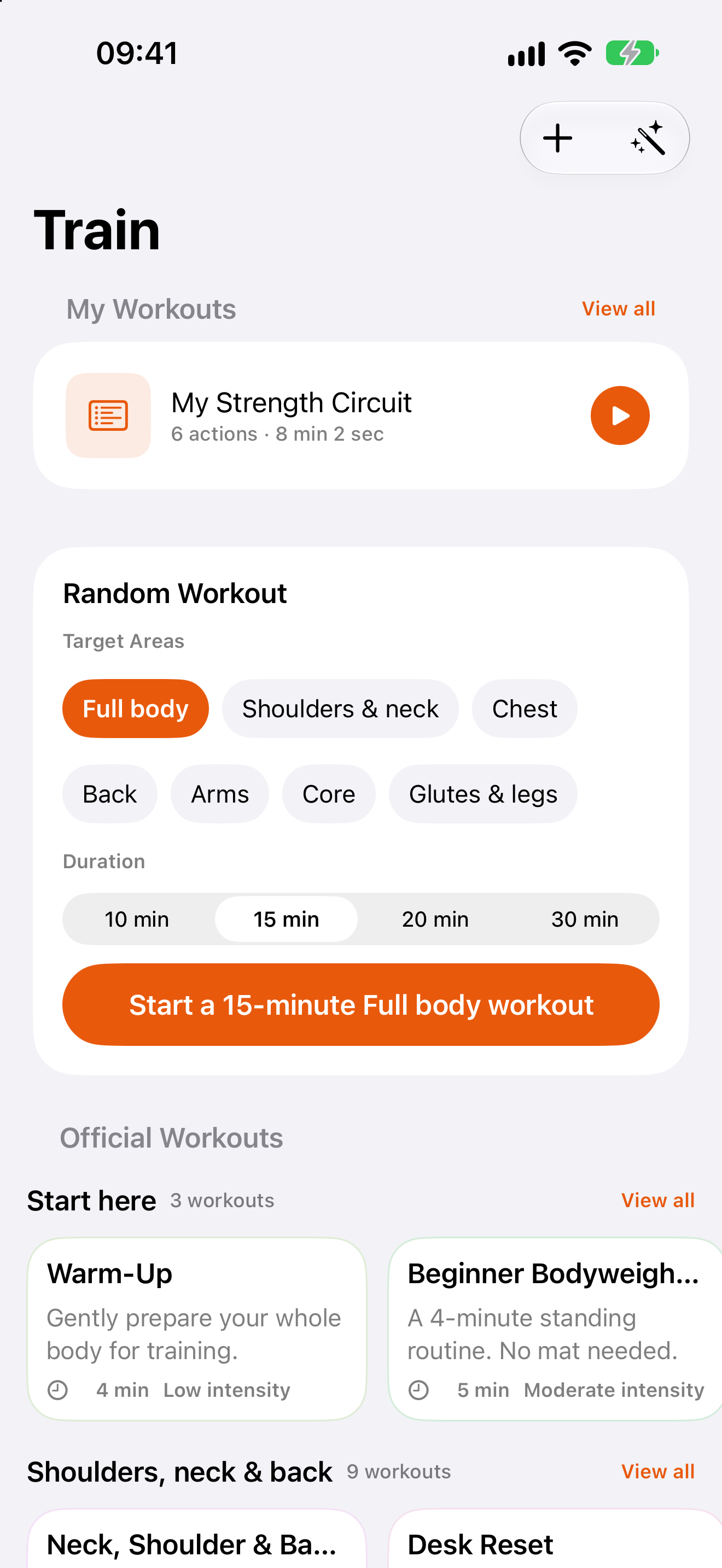
- You choose the targetFull body, or one or more body areas: shoulders & neck, chest, back, arms, core, or glutes & legs.
- You choose the lengthQuick options are 10, 15, 20 and 30 minutes. The result is timed to land close to your target.
- Three phasesEvery workout has a warm-up, a main block and a cool-down, and no exercise repeats within a phase.
- Variety in the main blockThe main block prefers exercises from different movement families before repeating similar ones, and it aims to cover each area you selected.
- Preview, reshuffle, saveThe preview is temporary. Not what you wanted? Reshuffle. Like it? Save it, or start straight away.
What can show up
The generator draws from Swayni’s built-in exercise library of 86 moves. Some are eligible for warm-ups, some for the main block, some for cool-downs, and a few for more than one. A few real examples from each pool:
| Warm-up | March in Place, Arm Circles, Hip Circles, Step Touch, Standing Torso Rotation |
| Main block | Bodyweight Squat, Incline Push-Up, Plank Shoulder Tap, Alternating Reverse Lunge, Forearm Plank |
| Cool-down | Child's Pose, Chest Opener, Calf Stretch, Seated Forward Fold, Standing Quadriceps Stretch |
A sample of the library, not a fixed list: each shuffle picks a different combination.
Get more from a random workout
- Start with full bodyIf you have no preference, full body uses the whole library instead of one area.
- Pick a length you will finishTen minutes you complete beats thirty you skip. You can always run another shuffle afterwards.
- Reshuffle freelyA discarded preview costs nothing: nothing is saved and your exercise library is unchanged until you choose to save.
- Save the ones you likeSaving turns a good draw into your own workout that you can edit later.
Generate and follow it hands-free
The workout starts with the same voice guidance as any other in Swayni: each exercise, set and rest announced out loud, and an up-next preview before the rest ends. You do not need to decide the order, and you do not need to look at the screen.
- Open Swayni and pick a body area (or full body) and a length.
- Look over the preview. Reshuffle if you want a different mix, or save it.
- Start, put the phone down, and follow the voice.
 Scan with iPhone to download